KDP Purple Paper Lined Journal 3: Avoiding Common Interior Publishing Mistakes
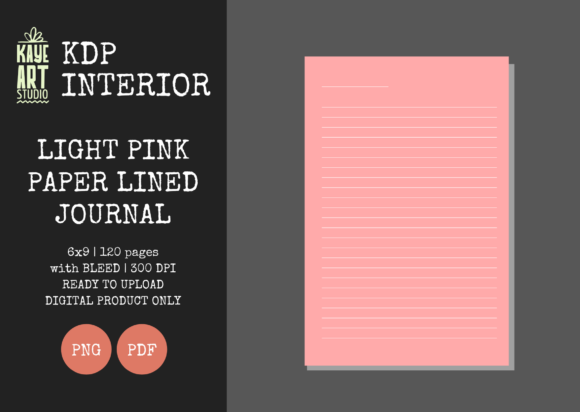
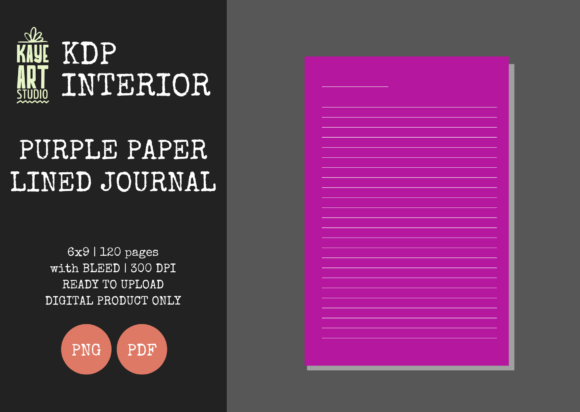
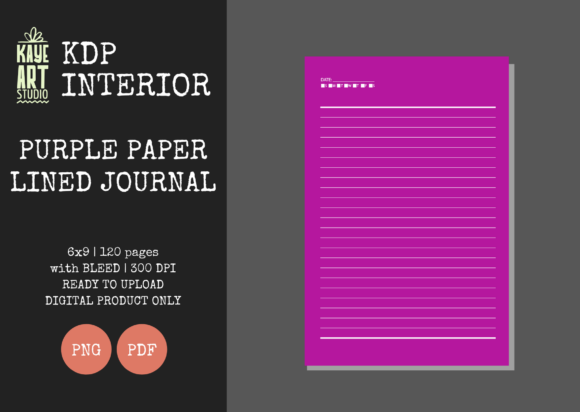
Creating a successful low-content book on Amazon requires more than just uploading a file; it demands precision in formatting and an understanding of platform requirements. The KDP Purple Paper Lined Journal 3 serves as a specialized interior template designed to streamline this process for publishers focusing on aesthetic, niche journals. This specific resource provides a pre-formatted 120-page lined interior with a distinct purple hue, catering to creators who want to offer something visually different from the standard white or cream paper options often associated with print-on-demand.
Publishers are frequently drawn to this template because it solves the tedious problem of manual page creation. Instead of spending hours adjusting margins and line spacing in design software, you receive a tested 300 DPI file ready for integration into your publishing workflow. However, having a high-quality asset is only half the battle. Many entrepreneurs and hobbyists undermine their own success by overlooking critical technical specifications during the upload phase. Understanding how to properly implement this interior ensures that your final product meets professional standards and avoids the frustration of rejected manuscripts or poor customer reviews.
The Critical Importance of Bleed Settings
The most frequent error encountered when using the KDP Purple Paper Lined Journal 3 involves the bleed configuration. This interior is explicitly designed with bleed settings enabled. In printing terms, bleed means the content extends beyond the trim edge of the page to ensure no unprinted white borders appear after cutting. Because this journal features colored elements that likely reach the page edge, selecting the correct option during upload is non-negotiable.
When you reach the "Print Options" section in KDP, you must select BLEED. A common misunderstanding is assuming that because the trim size is 6×9 inches, the PDF should also be exactly 6×9 inches. This is incorrect for bleed interiors. The provided PDF file includes the necessary extra margin (typically 0.125 inches on the outer edges) to accommodate the bleed. If you select "No Bleed" while using this file, the automated previewer will flag errors, or worse, the book may print with misaligned lines and unintended white margins. Conversely, if you attempt to crop the file to remove the bleed area before uploading, you risk cutting off essential lining or decorative elements. Always trust the original file dimensions and match your KDP settings to the asset's specifications.
Verifying File Integrity and Resolution
While the KDP Purple Paper Lined Journal 3 is marketed as ready for upload, prudent publishers always verify file integrity before submission. Relying solely on the product description without personal validation can lead to quality issues that only surface after ordering a proof copy. You should download the PDF and open it in a professional viewer or design tool to confirm the resolution is truly 300 DPI. Low-resolution files result in pixelated lines and muddy colors, which significantly devalues a journal meant to be a premium writing experience.
Additionally, check the page count alignment. This interior contains exactly 120 pages. Your cover file must be calculated based on this specific page count and the paper type selected. Using a cover template designed for 100 or 150 pages will result in spine text that is off-center or wraps onto the front and back covers. Since this listing is for the interior only, you bear the responsibility of creating a cover that mathematically matches these 120 pages. Utilizing KDP’s cover calculator or a reliable third-party template generator with the exact parameters (6x9, 120 pages, white paper) prevents costly reprinting fees and delays.
Differentiating Between PNG and PDF Assets
This resource package includes both PNG and PDF formats, and confusing their intended uses is a mistake that affects production efficiency. The PDF is the master file intended for direct upload to KDP. It preserves vector quality, text sharpness, and precise pagination. The PNG files, while high quality, are generally intended for marketing materials, mockups, or custom modifications in external design software.
Uploading individual PNGs converted back into a PDF often results in larger file sizes and potential compression artifacts. Furthermore, converting raster images back into a document format can sometimes alter dimensions slightly depending on the software used. To maintain the highest print fidelity, always prioritize the pre-assembled PDF for the manuscript. Reserve the PNG assets for creating Amazon A+ Content, social media promotions, or listing thumbnails where visual appeal drives click-through rates. This distinction ensures your manufacturing file remains pristine while still giving you versatile assets for marketing.
Managing Color Expectations and Paper Choice
A nuanced aspect of publishing colored interiors like the KDP Purple Paper Lined Journal 3 is managing color reproduction expectations. KDP prints on demand using digital presses, which can vary slightly between facilities and over time. While the file is calibrated for professional printing, the appearance of purple ink on standard white paper differs from what you see on a backlit monitor screen. Digital displays use RGB light, while printers use CMYK ink. Without proper color management, vibrant purples can sometimes print darker or duller than anticipated.
To mitigate this, experienced publishers order a physical proof copy before launching. This step is not merely about checking for typos; it is a quality control measure for color accuracy. Inspect the density of the purple lines and the overall contrast. If the lines appear too faint or too dark, you may need to adjust the source file’s opacity or saturation before re-uploading. Additionally, consider how the purple interior interacts with the paper choice. Standard white paper typically offers the truest color representation for colored interiors, whereas cream paper can introduce a warm cast that alters the perceived shade of purple. Making an informed decision about paper stock ensures the final product aligns with your brand aesthetic.
Strategic Considerations for Low-Content Success
Beyond technical execution, successfully leveraging this interior requires strategic positioning. Simply uploading a purple lined journal does not guarantee sales. The low-content market is saturated, and differentiation is key. When using the KDP Purple Paper Lined Journal 3, consider how the interior complements your cover design and metadata. Does the purple theme suggest spirituality, creativity, royalty, or calmness? Your title, subtitle, and backend keywords should reflect the specific niche this color palette serves rather than generic terms like "notebook."
Furthermore, transparency builds trust. Since this is a pre-made interior, avoid claiming unique hand-drawn artistry in your description if that isn't accurate. Instead, highlight the usability and aesthetic benefits of the layout. Customers appreciate knowing exactly what they are buying. Mentioning the 6x9 trim size and 120-page count in your bullet points helps set accurate expectations. By combining technical precision with honest, targeted marketing, you transform a simple digital asset into a viable product that serves a specific audience segment effectively.
Ultimately, tools like this interior are designed to reduce friction in the publishing process, but they require an operator who understands the machinery. By respecting bleed settings, verifying resolution, choosing the correct file formats, and validating color output through proofs, you protect your reputation as a publisher. These proactive measures distinguish professional KDP businesses from amateur attempts, ensuring that every journal sold delivers the quality your customers expect and your business needs to grow sustainably.